
As a backyard chicken keeper or small livestock owner, you know how vulnerable your flock can be to predators. From foxes and coyotes to raccoons and hawks, there are many threats lurking in the shadows that could decimate your animal family in an instant. That’s why investing in a reliable predator camera for coops is essential for safeguarding your investment. But with so many options on the market, choosing the right one can be overwhelming. In this article, we’ll guide you through the process of selecting and setting up the best predator cameras for coops to protect your flock from potential threats. We’ll cover everything from features to consider to mounting and maintenance tips, ensuring you’re well-equipped to keep your animals safe and secure.
Understanding the Threat of Predators
When it comes to protecting your flock, understanding the threat of predators is crucial. In this next part, we’ll break down what threats are most common in your area and how to prepare for them.
Recognizing Common Predators
When it comes to protecting your backyard flock, recognizing common predators is key. These sneaky critters can be found in various shapes and sizes, but they all share one thing in common: a taste for chicken. Let’s take a closer look at some of the most notorious predators that target our feathered friends.
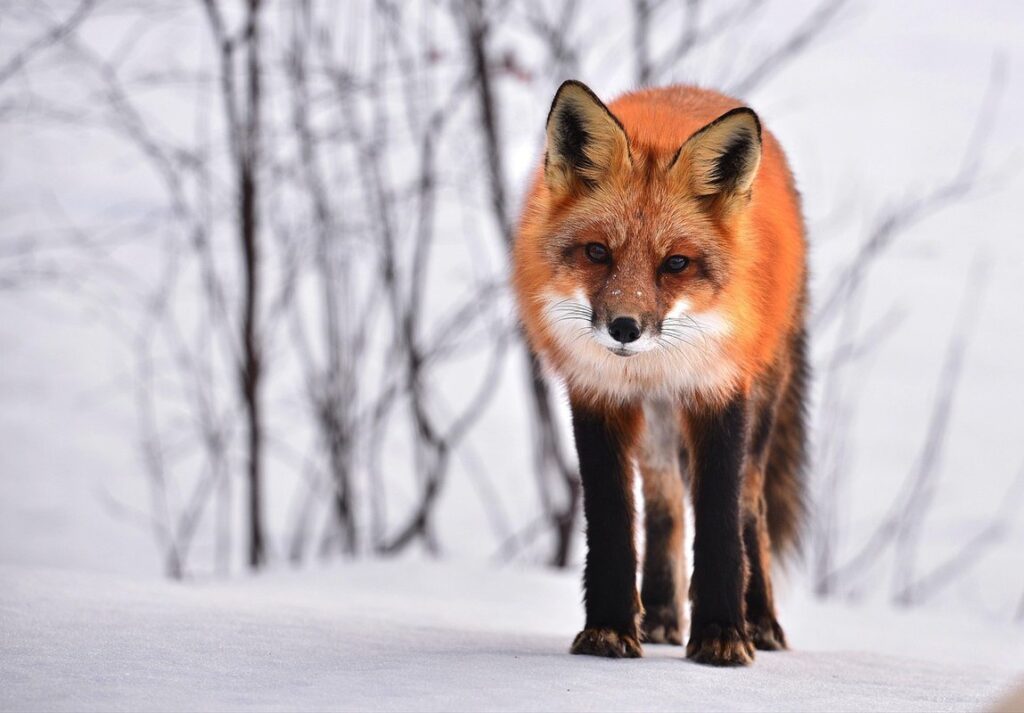
Foxes are perhaps the most cunning of them all, with their bushy tails and sly demeanor. They’re experts at sniffing out weak spots in your coop’s defenses, so be sure to keep an eye out for any holes or gaps. Coyotes, on the other hand, are more brazen, often attacking in broad daylight. These canines are highly adaptable and have been known to target small livestock like rabbits and ducks as well.
Hawks and owls are aerial predators that prey on chickens in mid-air, swooping down from their perches at dawn or dusk when they’re most active. Raccoons, with their dexterous hands and curious nature, can easily pick locks or find vulnerable spots to gain access to your coop. These masked bandits often target eggs as well, so keep a close eye on your nesting boxes.
Keep in mind that these predators are not limited to rural areas – they can be found in urban environments too. By knowing what you’re up against, you’ll be better equipped to safeguard your flock with the right security measures and deterrents.
Identifying Signs of Predator Activity
As a backyard chicken keeper, it’s essential to stay vigilant for signs of predator activity around your coop. These can be subtle, but spotting them early on can help prevent losses and ensure the safety of your flock. Let’s break down some common indicators to look out for.
Start by observing your yard and surrounding areas. Look for unusual tracks or paw prints in the mud or dirt. Foxes, coyotes, and raccoons have distinct footprints that are relatively easy to identify. If you notice any unusual scat (droppings) near your coop, take note of their size, shape, and color. Fox droppings, for example, are often small and cylindrical.
Keep an eye out for feathers scattered around the yard or near the coop entrance. This can indicate that a predator has been sniffing around or making a successful attack. Other signs to watch for include dug-up areas, torn vegetation, and any other signs of digging or excavation. By paying attention to these subtle clues, you can take proactive steps to protect your flock and prevent losses. Regularly inspect the surrounding area, and adjust your security measures accordingly.
Choosing the Right Predator Camera
When it comes to choosing a predator camera for your coop, deciding on the right features can be overwhelming. Let’s break down what matters most in this critical decision.
Types of Predator Cameras Available
When it comes to choosing the right predator camera for your coop, you’ll want to consider the different types of cameras available. The main distinction is between wired and wireless cameras.
Wired cameras are connected directly to a power source and a recording device, providing constant footage and alerts in case of motion detection. They’re ideal for large coops or those with multiple security systems. However, they can be more expensive and require more setup time.
Wireless cameras, on the other hand, offer greater flexibility and ease of use. They can be placed anywhere around the coop without the need for cables and can be powered by batteries or solar panels. Motion-activated wireless cameras are a popular choice for coops, as they provide alerts only when movement is detected.
Night vision capabilities are also essential in predator camera selection. Infrared (IR) night vision allows for clear visibility up to 20 feet, even in complete darkness. Some high-end models even offer color night vision, which can be useful for identifying specific predators.
Another option is trail cameras, which can be placed around the coop’s perimeter or in remote areas. These are perfect for monitoring larger properties and providing a broader view of your surroundings.
Key Features to Consider When Selecting a Camera
When selecting a predator camera for your coop, there are several key features to consider. First and foremost, think about resolution – do you want high-definition (HD) video, standard definition (SD), or infrared night vision? HD cameras will provide clear images of predators during the day, while SD cameras can still capture valuable footage at a lower cost. Consider what your needs are: if you have a large coop or multiple areas to monitor, an HD camera might be necessary for accurate identification.
Another crucial feature is field of view – how wide of an area do you want the camera to cover? A wider angle lens will allow you to capture more movement and predators from a greater distance. Weather resistance is also essential; if your camera will be exposed to rain or extreme temperatures, look for one with IP65 or higher ratings.
Lastly, consider battery life – how long will your camera operate on a single charge or battery? Some cameras can run up to several months, while others may need replacement every few weeks. This can impact the overall cost of ownership and your ability to monitor your coop effectively.
Setting Up Your Predator Camera System
Now that you’ve chosen a predator camera system for your coop, let’s get started on setting it up and ensuring it captures clear footage of any potential threats. This section covers the crucial first steps to getting your system up and running smoothly.
Installing Cameras Strategically Around the Coop
When installing cameras strategically around the coop, it’s essential to maximize coverage and visibility. Start by identifying high-risk areas that predators frequent, such as gates, windows, and doors. For a standard rectangular coop, consider placing one camera at each corner to capture all sides.
For larger coops or those with unique structures, you may need additional cameras to ensure comprehensive coverage. Place them 10-15 feet apart to prevent blind spots. Be mindful of power sources, especially in areas prone to weather conditions. Consider installing a solar-powered camera near a south-facing wall to maximize sunlight exposure.
When positioning cameras, consider the field of view (FOV) and adjust accordingly. A wider FOV can cover more area but may compromise image quality. Aim for a balance between coverage and clarity. Remember to secure cameras firmly to prevent damage from wind or predators trying to access them. Regularly inspect camera placement to ensure it remains effective in deterring predators and providing valuable insights into your coop’s security.
Integrating with Smart Home Systems (Optional)
If you’re looking to take your predator camera system to the next level, integrating it with your smart home system can be a game-changer. This seamless integration allows for enhanced monitoring and alerts, giving you peace of mind while keeping an eye on your coop.
To integrate your predator camera system with your smart home system, start by checking if your smart home device is compatible with the camera’s manufacturer. Some popular options include Amazon Alexa, Google Assistant, or Apple HomeKit. Once you’ve confirmed compatibility, follow these steps:
* Connect your camera to your router using an Ethernet cable for stable connectivity.
* Download and install the camera app on your smartphone or tablet from the App Store or Google Play Store.
* Link your smart home device with the camera app by following in-app instructions.
For example, with Amazon Alexa integration, you can receive voice alerts when motion is detected near your coop. This feature sends notifications to your phone or tablet, ensuring you’re always aware of potential threats.
Monitoring and Analyzing Footage
Monitoring footage is crucial for identifying potential threats to your coop, so let’s dive into the tools you need to stay vigilant. This includes software that alerts you to suspicious activity and helps you review video evidence.
Understanding Camera Settings and Recording Options
When it comes to monitoring and analyzing footage from your coop’s predator camera, understanding the different settings and recording options is crucial. You’ll want to ensure you’re capturing high-quality video that helps you identify potential threats.
One of the most important settings to consider is resolution. A higher resolution will provide a clearer image, but it may also increase storage space requirements. For example, if your camera can record at 1080p or 4K, choose the highest resolution possible to get a clear view of any predators that approach your coop.
Another critical setting is frame rate. This determines how often the camera takes a new picture or records video per second. A higher frame rate will capture more movement and provide a smoother video playback experience. Aim for at least 30 frames per second (FPS) for optimal results.
Motion detection sensitivity is also essential, as it allows you to receive alerts when something moves within the camera’s field of view. Adjust this setting based on your specific coop’s layout and the types of predators you’re trying to detect. Experiment with different settings to find what works best for your situation.
Tips for Effective Footage Analysis
When reviewing footage from your predator camera system, it’s essential to identify potential threats and understand their behavior. Start by scanning the footage for any signs of predators such as raccoons, coyotes, or foxes. Look for suspicious activity near the coop, including unusual sounds or movements.
Reviewing historical data is also crucial in identifying patterns and trends. Check your camera system’s log to see when previous incidents occurred and how often they happened. This information will help you anticipate potential threats and adjust your security measures accordingly.
When sharing insights with other farmers or experts, focus on specific details such as the type of predator, time of day, and environmental factors that may have contributed to the incident. Share your findings and ask for advice on improving your coop’s security. You can also use online forums or social media groups to connect with other farmers who may have experienced similar issues.
Regularly reviewing footage and analyzing historical data will help you stay one step ahead of predators and keep your flock safe.
Preventing Predator Attacks in the First Place
Let’s dive into some practical strategies for preventing predator attacks on your coop in the first place, so you can sleep better at night knowing your flock is safe.
Best Practices for Coop Security
Securing your coop against predators requires attention to detail and a thorough understanding of their behavior. Start by assessing your property’s layout and identifying potential entry points for predators such as foxes, coyotes, and raccoons.
Use strong fencing around the perimeter of your yard, making sure it extends at least 3 feet below ground level to prevent burrowing animals from digging under. The fence should be at least 6 feet tall, with openings no larger than 1 inch in diameter to prevent small predators from slipping through.
Locking gates are also essential, as many predators can easily jump over a gate if it’s not secure. Make sure to lock your coop’s gate every time you leave the property or at night when predators are most active.
Cover all windows and any openings with hardware cloth or chicken wire to prevent birds of prey from swooping in. Eliminate attractants such as food waste, fallen fruit, and debris that can entice predators to your yard. Keep your coop clean, store feed in rodent-proof containers, and pick up fallen fruit daily to discourage predators from visiting your property.
Integrating Camera Systems with Physical Barriers
Integrating camera systems with physical barriers can be a game-changer for coop owners looking to prevent predator attacks. When combined effectively, these two security measures create a formidable defense system that deters potential threats and provides valuable insights into any attempted breaches.
For instance, installing motion-sensitive cameras around the perimeter of your coop will alert you to any suspicious activity, allowing you to take swift action. At the same time, physical barriers such as fencing or netting provide an additional layer of protection against predators like foxes, coyotes, and hawks.
To integrate these systems effectively, consider the following tips:
• Position cameras strategically to capture clear footage of entry points
• Use night vision or infrared capabilities to monitor activity during nighttime hours when predators are most active
• Combine physical barriers with warning signs or other visual deterrents to create a multi-layered defense system
Maintenance and Troubleshooting Your Predator Camera System
If you’re having issues with your predator camera system, we’ll walk you through essential maintenance tips to get it back up and running smoothly. Regular upkeep is key to capturing clear footage.
Regularly Checking and Cleaning Cameras
Regularly checking and cleaning cameras is a crucial aspect of maintaining your predator camera system. A dirty camera can lead to poor image quality, false triggers, and even damage to the lens over time.
To avoid these issues, make it a habit to check your cameras regularly, ideally every 1-2 weeks. Start by inspecting the lens for any visible debris or dirt buildup. Gently wipe the lens with a soft cloth, paying extra attention to corners and edges where dirt tends to accumulate. Avoid using harsh chemicals or abrasive materials that can scratch the lens.
If you live in an area prone to heavy rain or snowfall, consider cleaning your cameras more frequently. Water spots and mineral deposits can cause issues even on clean days. To remove stubborn stains, mix a solution of equal parts water and white vinegar and apply it to the affected area with a soft cloth. Rinse thoroughly and wipe dry.
Regular maintenance will not only extend the lifespan of your camera but also ensure that you’re capturing high-quality images when it matters most – during potential predator threats.
Troubleshooting Common Issues with Cameras or Footage
When using a predator camera system for coop protection, it’s not uncommon to encounter issues that can compromise the effectiveness of the system. One common problem is faulty sensors, which can fail to detect potential threats even when they’re right in front of the camera. If you suspect this is the case, check your sensor alignment and make sure they’re properly calibrated.
Another issue you may face is poor connectivity between devices, such as the camera and monitor or internet connection. This can result in choppy footage or failure to stream video remotely. To troubleshoot this, ensure all connections are secure, restart devices if necessary, and check for any physical obstructions that might be interfering with signal strength.
Unclear footage is another problem that can arise due to factors like poor lighting conditions, motion blur, or camera settings that aren’t optimized for the environment. If you’re experiencing issues with footage quality, try adjusting the camera’s sensitivity, turning on night vision if necessary, and ensuring the area around the coop is well-lit.
Regular maintenance is key to avoiding these common issues, so take some time each month to clean your cameras’ lenses, check software updates, and perform other routine checks.
Frequently Asked Questions
Can I use a predator camera with a Wi-Fi or cellular connection to monitor my coop remotely?
Yes, many modern predator cameras come equipped with Wi-Fi or cellular connectivity, allowing you to view footage from anywhere and receive alerts when motion is detected. This feature can provide peace of mind while you’re away from your coop.
How often should I check and clean my camera lenses to ensure clear footage?
Regular maintenance is crucial for optimal camera performance. We recommend checking and cleaning your camera lenses at least once a week, or more frequently during periods of heavy rain or dust storms. Use a soft cloth and mild soap solution to avoid damaging the lens.
What’s the average battery life of a solar-powered predator camera?
The battery life of a solar-powered predator camera varies depending on the model and usage patterns. On average, you can expect 6-12 months of battery life under normal conditions. However, factors like sunlight exposure, temperature fluctuations, and camera settings can impact performance.
Can I integrate my predator camera system with other smart home devices?
Yes, many modern predator cameras offer integration with popular smart home systems, such as Nest or Ring. This feature allows you to monitor your coop in conjunction with other security measures, creating a comprehensive defense against predators. Check the manufacturer’s compatibility list before making a purchase.
How do I handle false alarms caused by birds or other non-predator animals?
False alarms can be frustrating, but they’re also an opportunity to fine-tune your camera settings and improve overall performance. Start by adjusting sensitivity levels and motion detection zones to minimize unnecessary alerts. If the issue persists, consider investing in a camera with advanced AI-powered detection capabilities.